Full cloud ERP
Invoicing, inventory, accounting and sometimes a delivery module. One vendor, but route planning often comes second and the data lives in the cloud.
When it is enough: If you need administration first and have only a few rounds a day.
One section per capability, with real screenshots of the app. Each one ends with what changes in your morning.
The short cut of the video: the day from start to finish.
SYNC
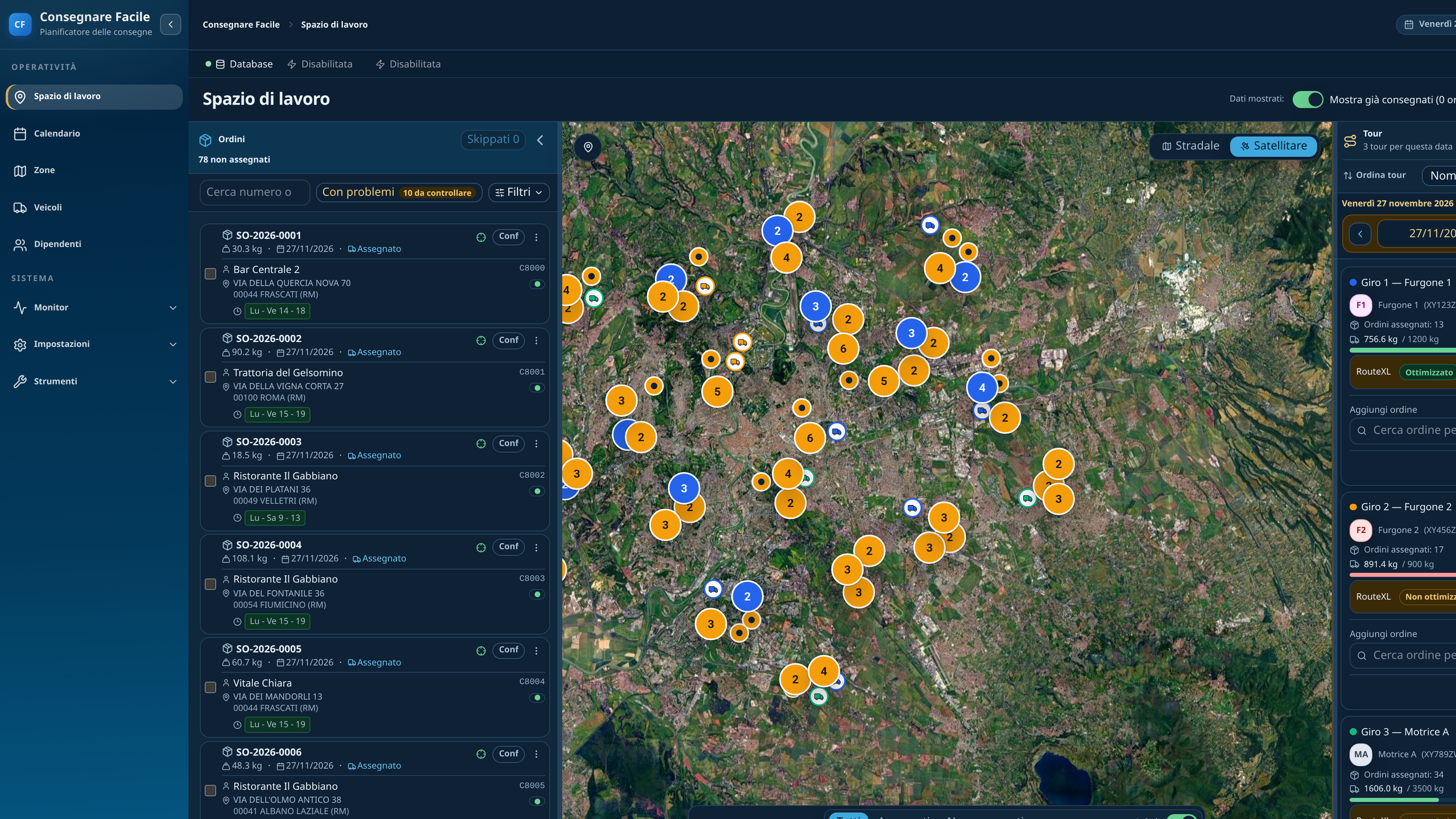
The morning starts without retyping: the ERP orders are already inside the app.
ADDRESSES
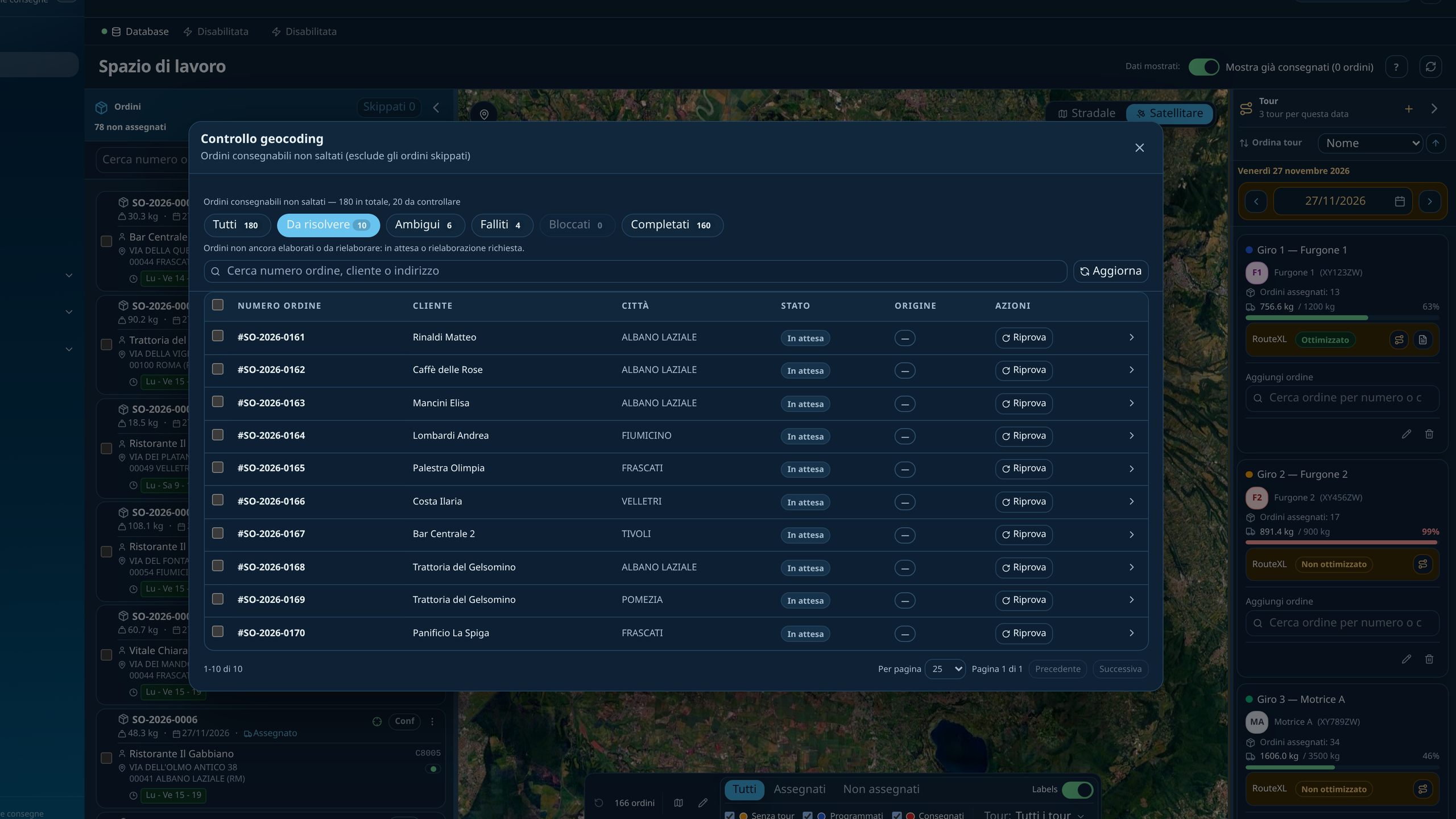
No manual lookups: geocoding works while you watch the map.
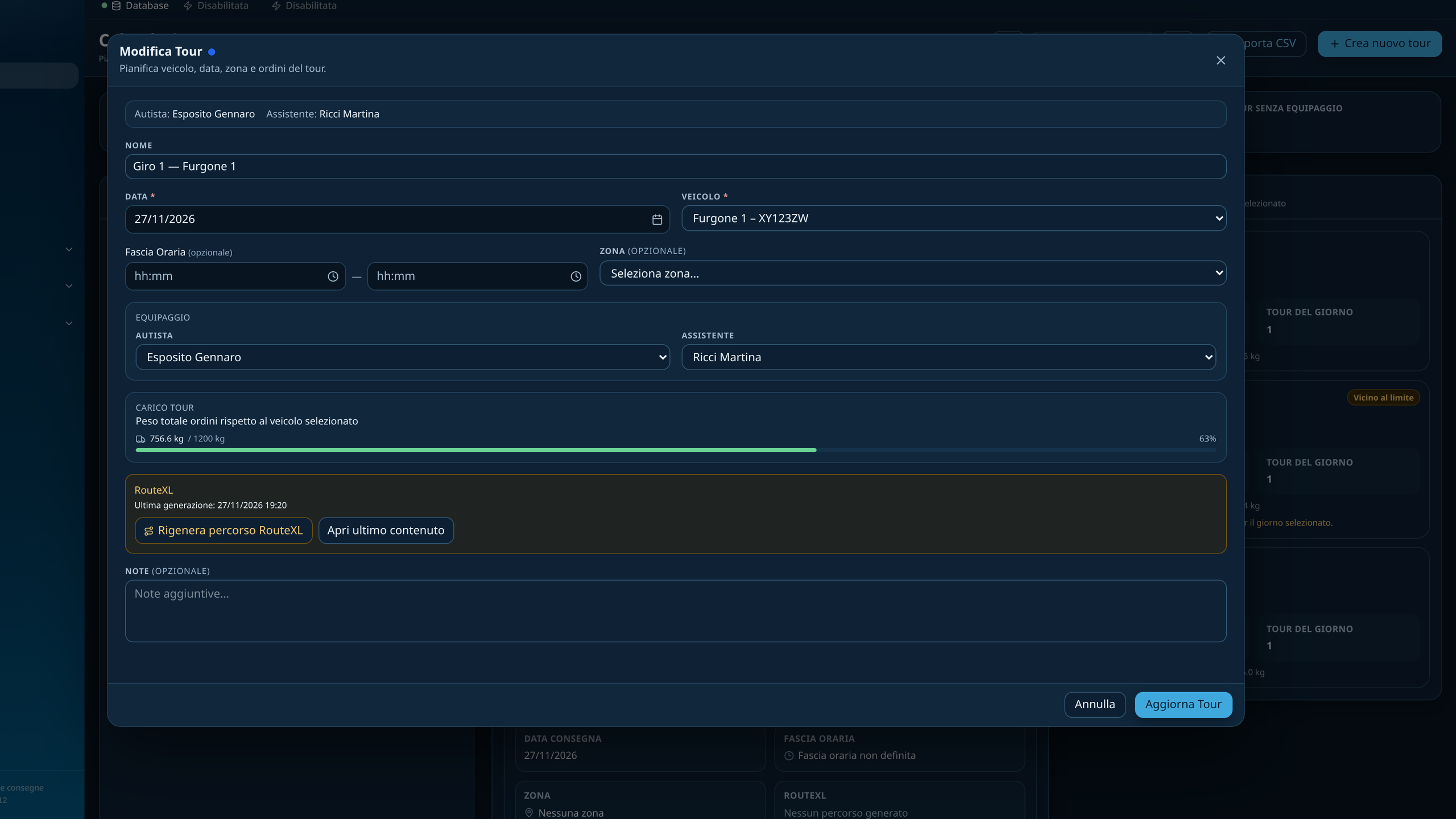
ASSIGNMENT
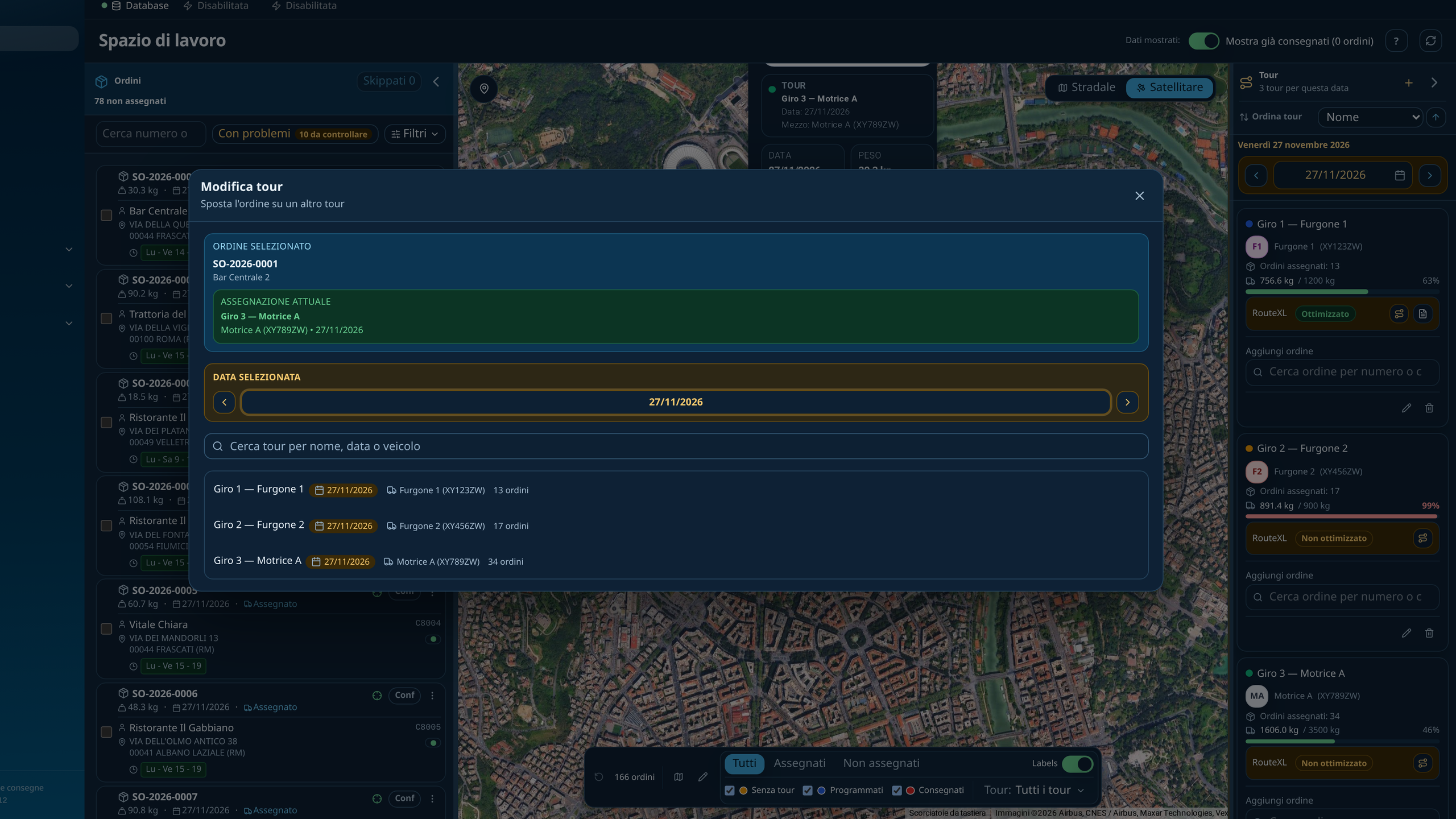
Assign from the card, the map or a zone: the tour and the load update.
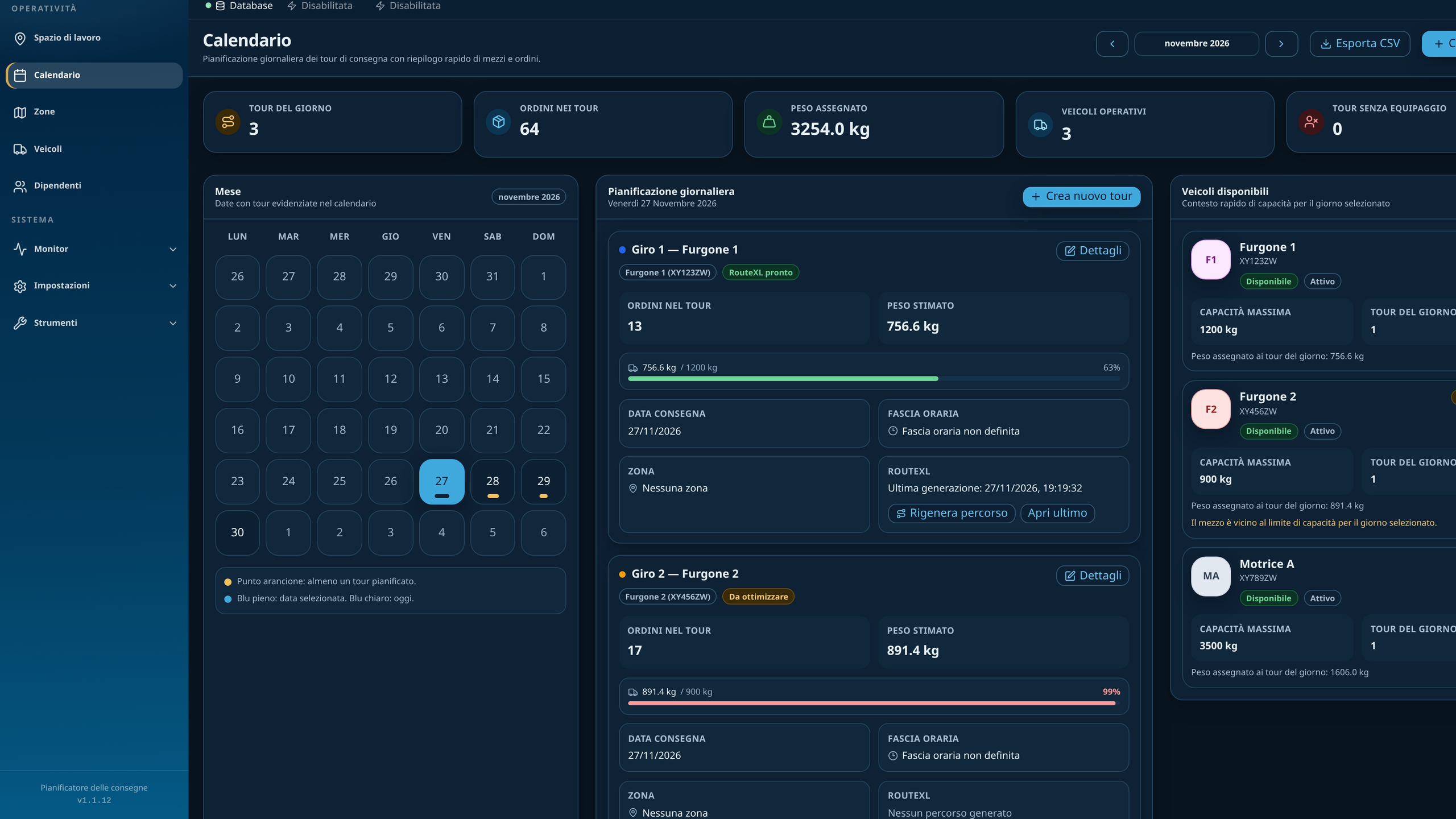
LOAD
The vehicle’s weight in front of you before the warehouse door opens.
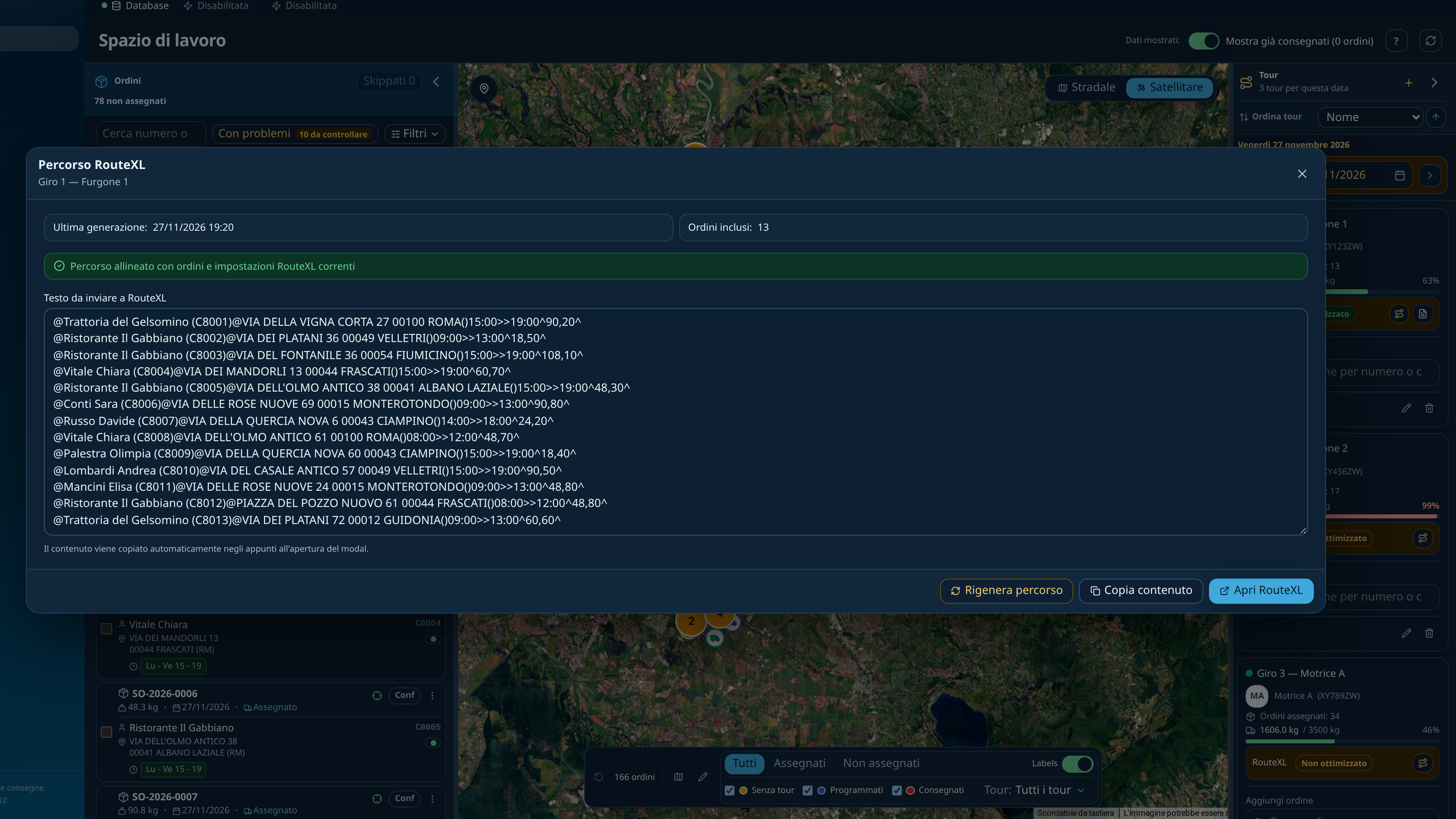
ROUTE
Export the round, optimise it with RouteXL, re-import: the app keeps the sequence aligned.
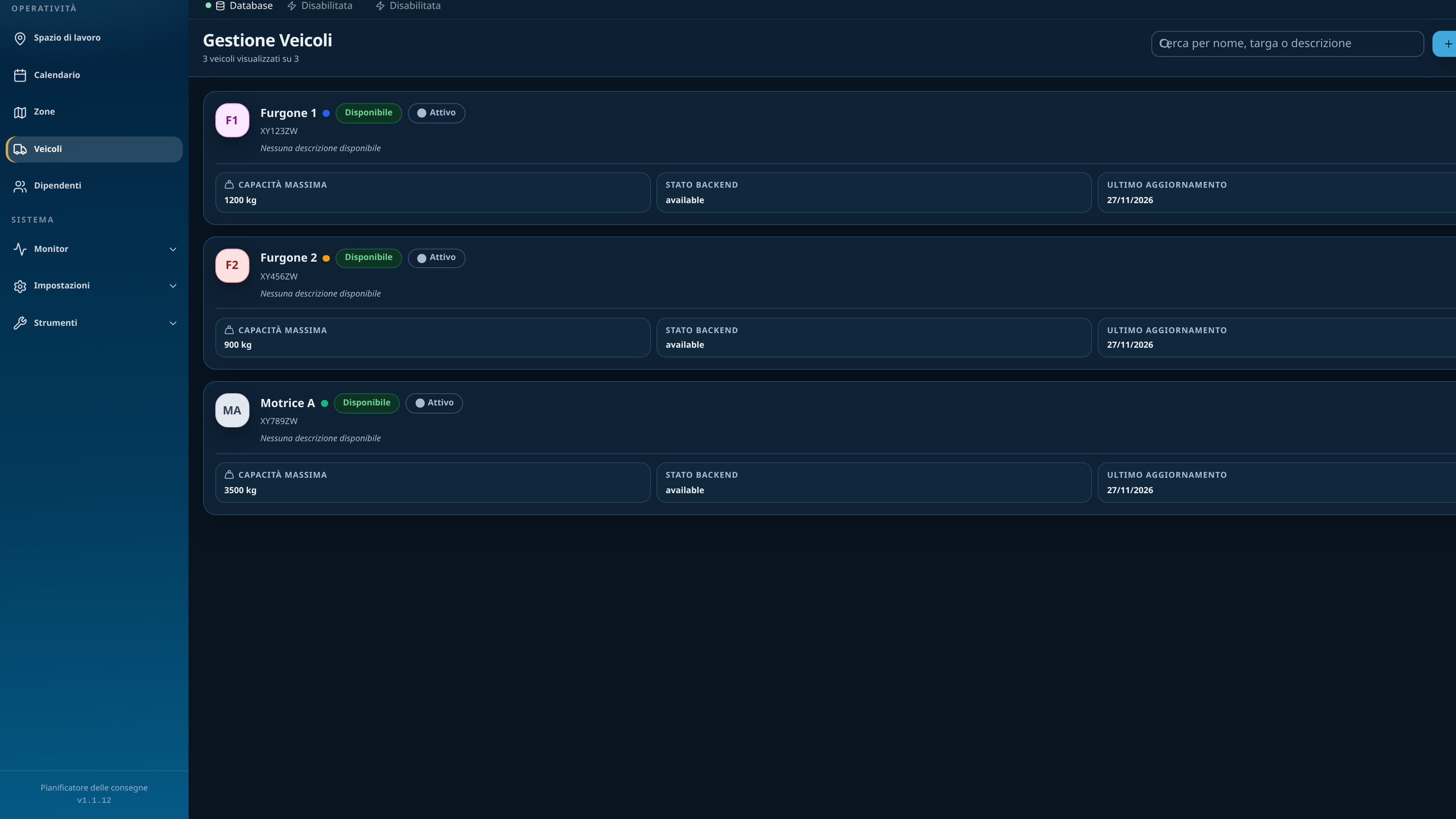
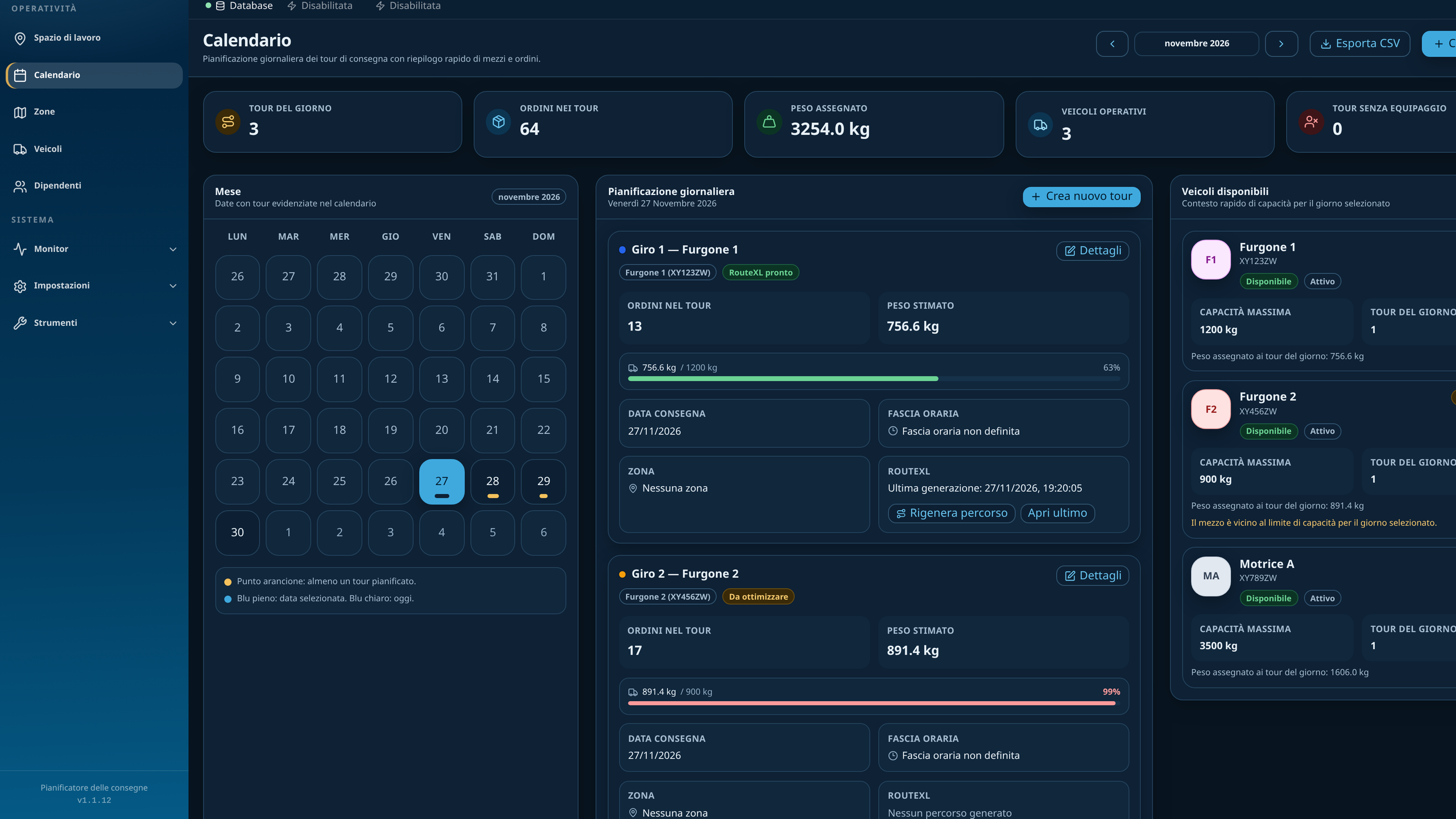
CREWS
Calendar, vehicles and crews on one screen: absences show up early.
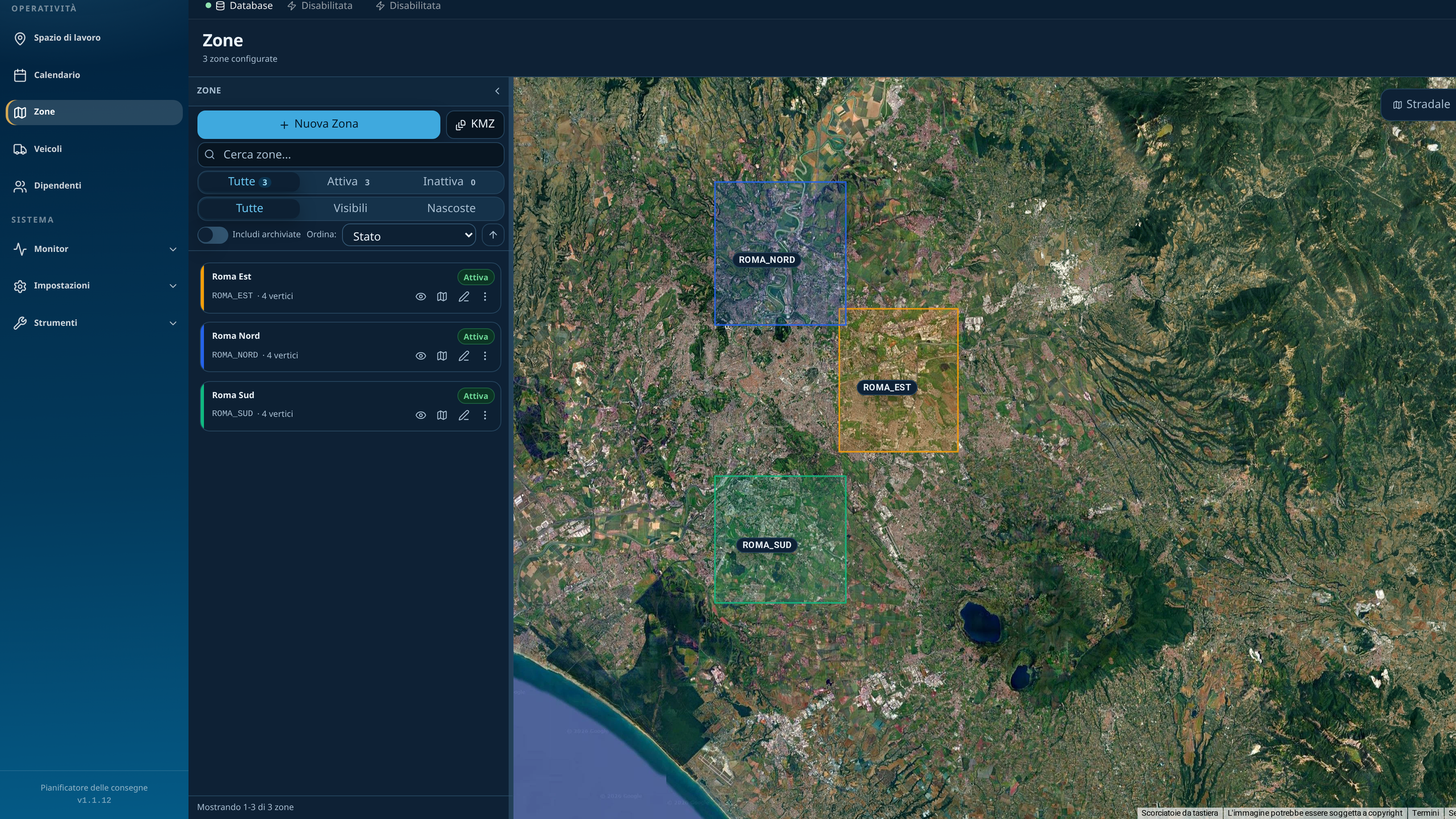
ZONES
Draw the area once: every order inside it joins the round.
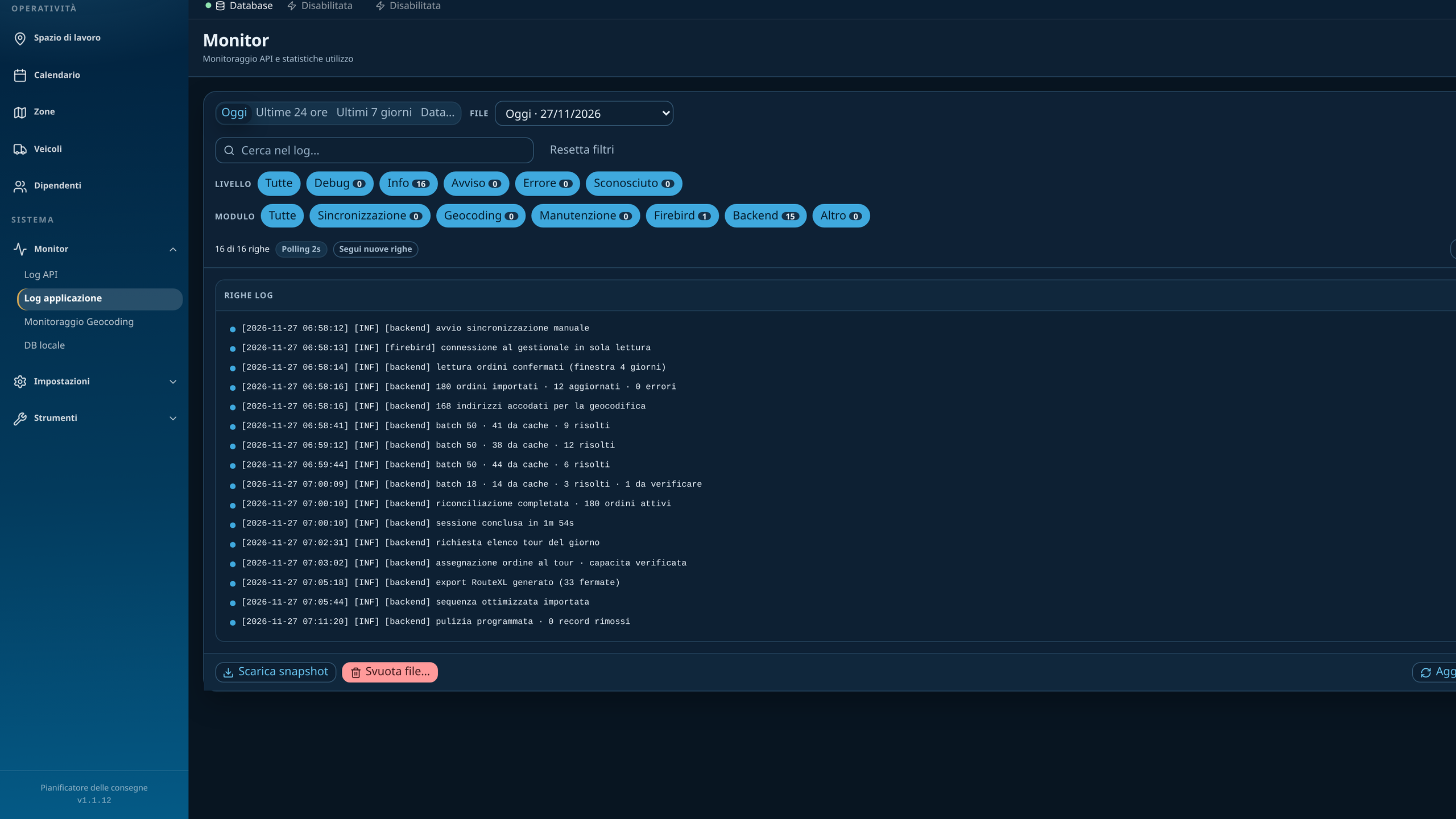
MONITORING
When something doesn’t add up, you see where it happened: sync, geocoding, logs.
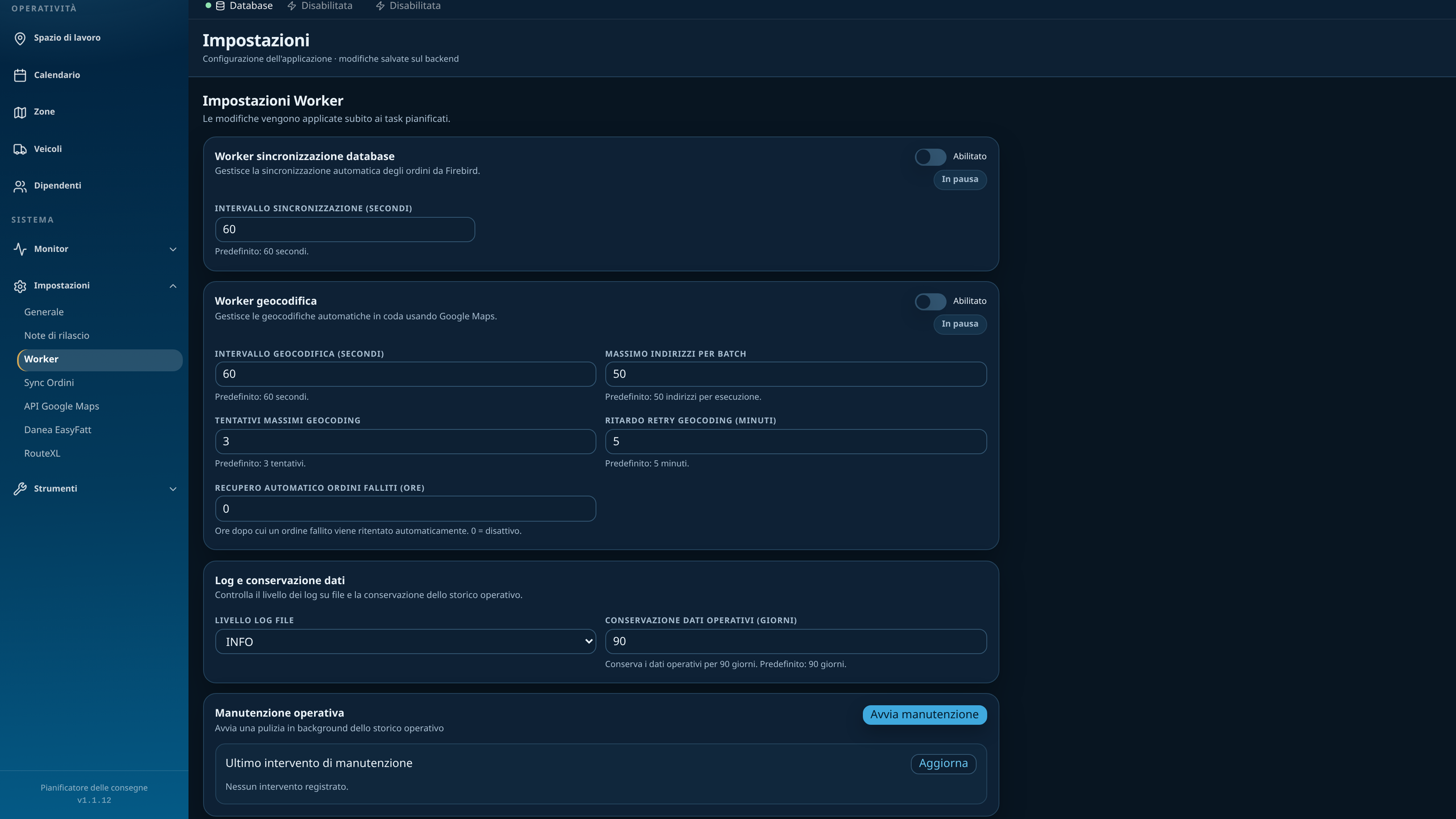
YOUR DATA
The database is yours: the ERP is read, never touched.
The market has three families of tools. Consegnare Facile is neither a full ERP nor a TMS for large fleets: it is the delivery planner built for the Italian SME.
Invoicing, inventory, accounting and sometimes a delivery module. One vendor, but route planning often comes second and the data lives in the cloud.
When it is enough: If you need administration first and have only a few rounds a day.
Calculates the best stop order in the browser. It is fast and has free plans, but it does not manage orders, load, crews or your ERP.
When it is enough: If your rounds are already planned and you only need to optimise the stops.
Full logistics suites: telematics, tracking, integrations and advanced roles. Powerful, but expensive and complex to roll out for an SME.
When it is enough: If you run a large fleet with a dedicated logistics team.
Categories, not brands: every tool must be judged on your own case. The choice depends on how many orders you handle, how you work today and how much you want to change.
No. Consegnare Facile reads the orders from the system you already use, read-only.
Only for the map and geocoding. Orders, rounds and data stay on your computer.
Consegnare Facile exports the round and re-imports the optimised sequence. Optimisation happens on RouteXL, whose free plan covers up to 20 addresses per route.
From one to a few dozen, with capacity and availability for each vehicle.
It depends on vehicles and users: we prepare a quote after the demo, no public price list.
On your computer. The app never writes to the ERP.
Today it is for Windows 10 and 11.
We call you back within one working day, no strings attached
Try it free