Your morning, in five steps
From five minutes after switching the computer on to the trucks leaving the yard. With real screenshots of the app.
01
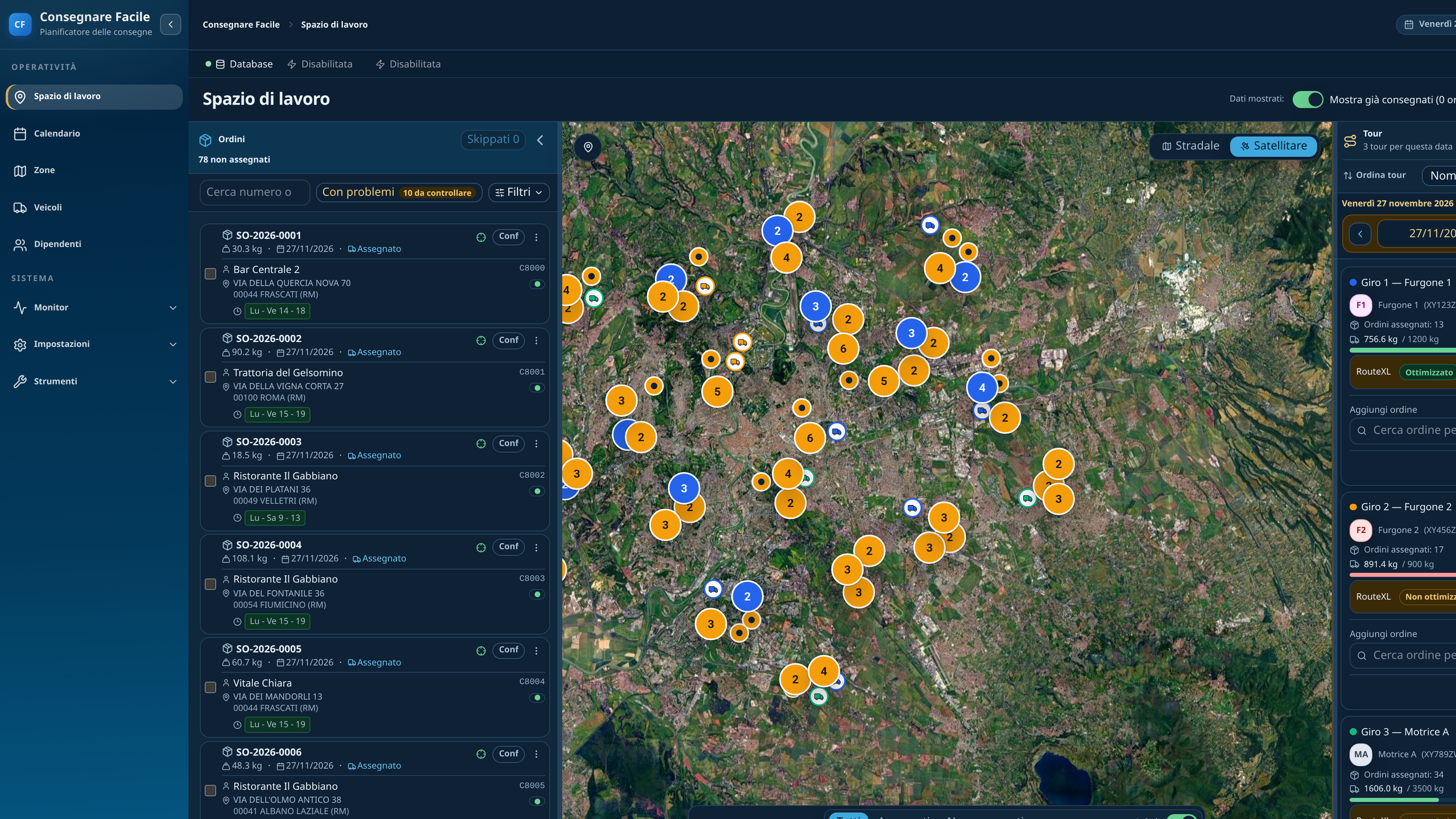
Sync
Confirmed orders arrive from your ERP in seconds. No file to open.
02
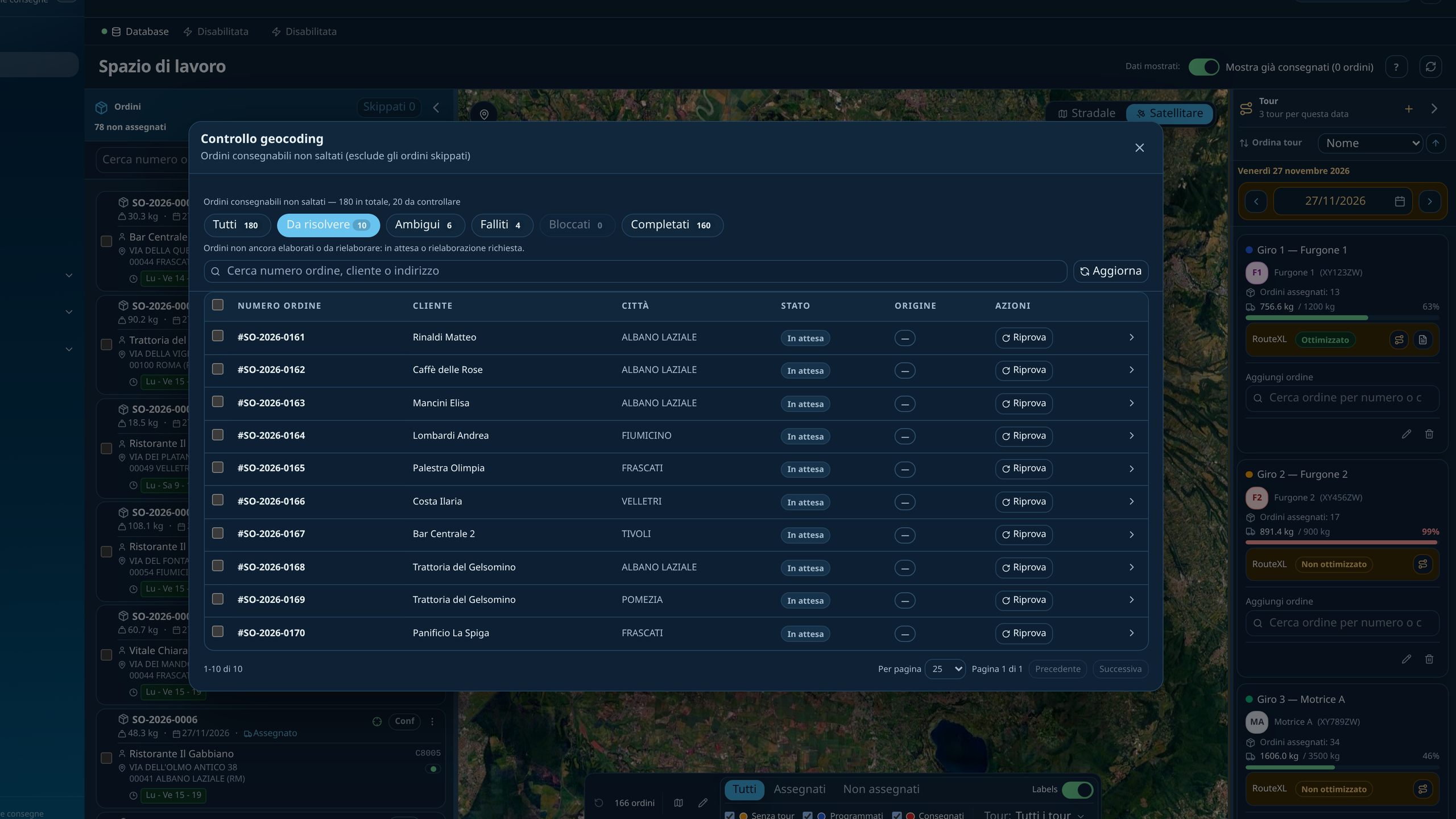
Check
Addresses geocode themselves. Ambiguous ones land on a list to review, not on the map.
03
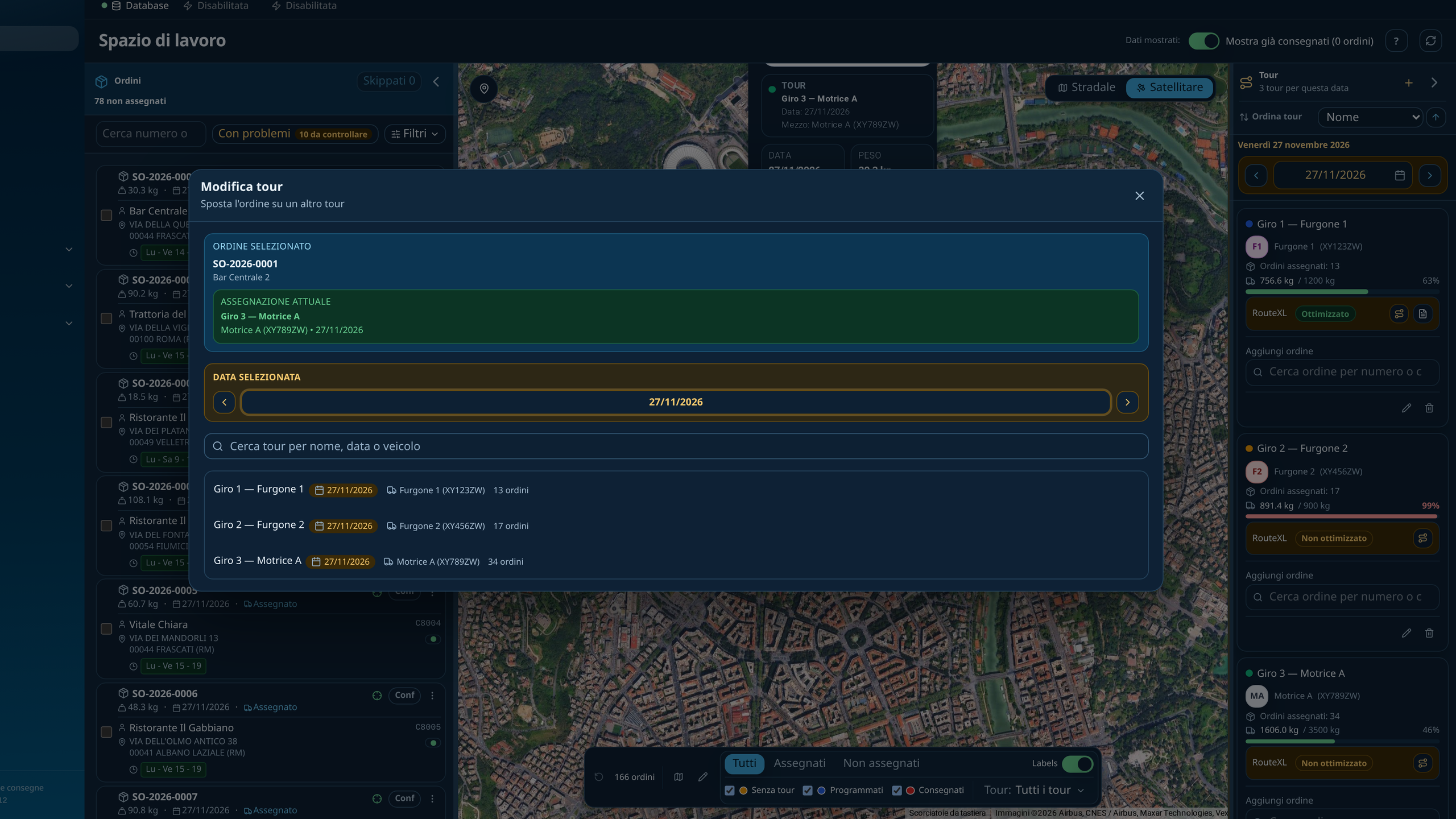
Assign
From the card, the map or a zone: the order joins the round and the vehicle load updates.
04
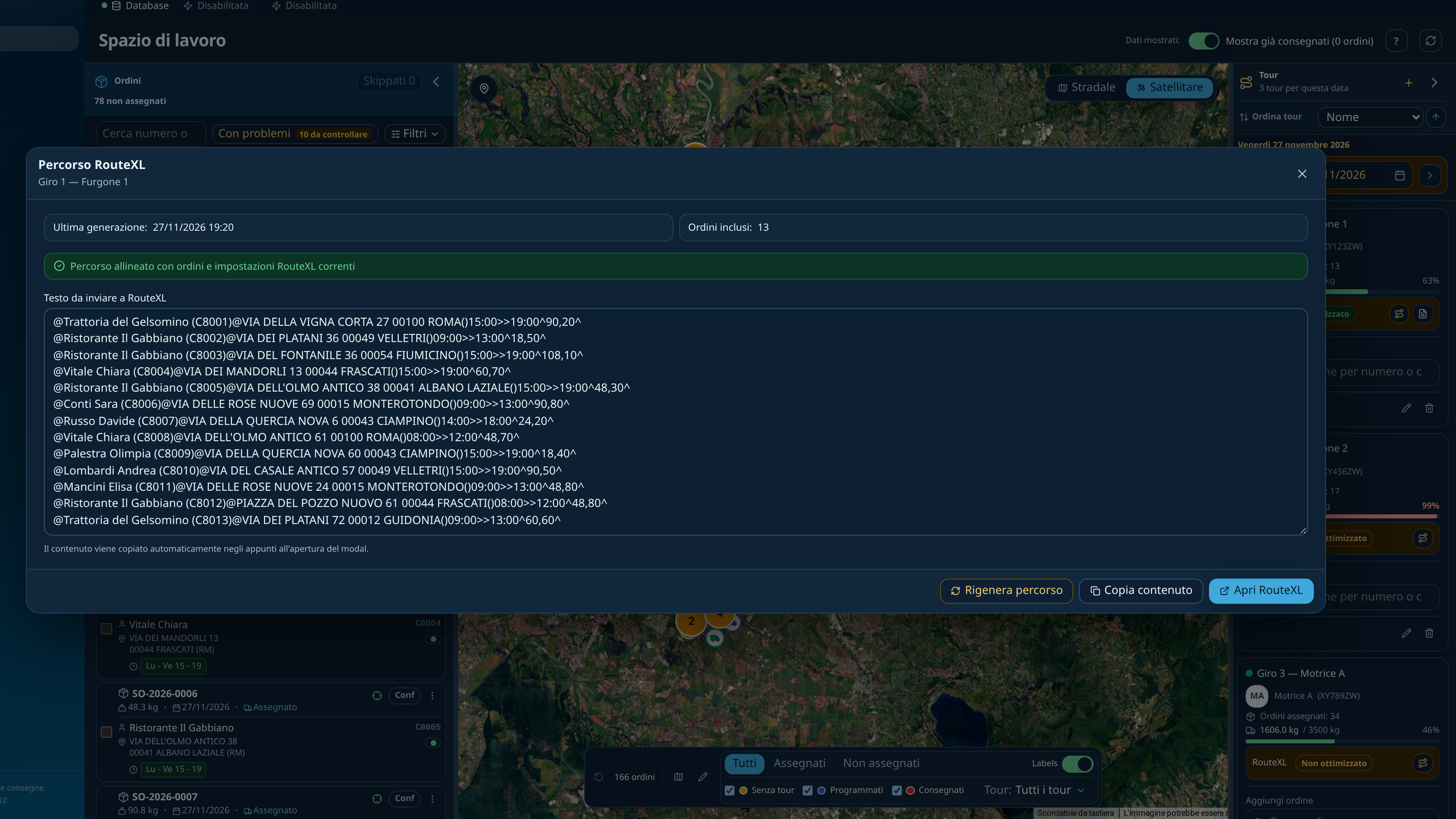
Optimise
Export, optimise with RouteXL, re-import. The sequence re-aligns and the app tells you if the orders changed after optimisation.
05
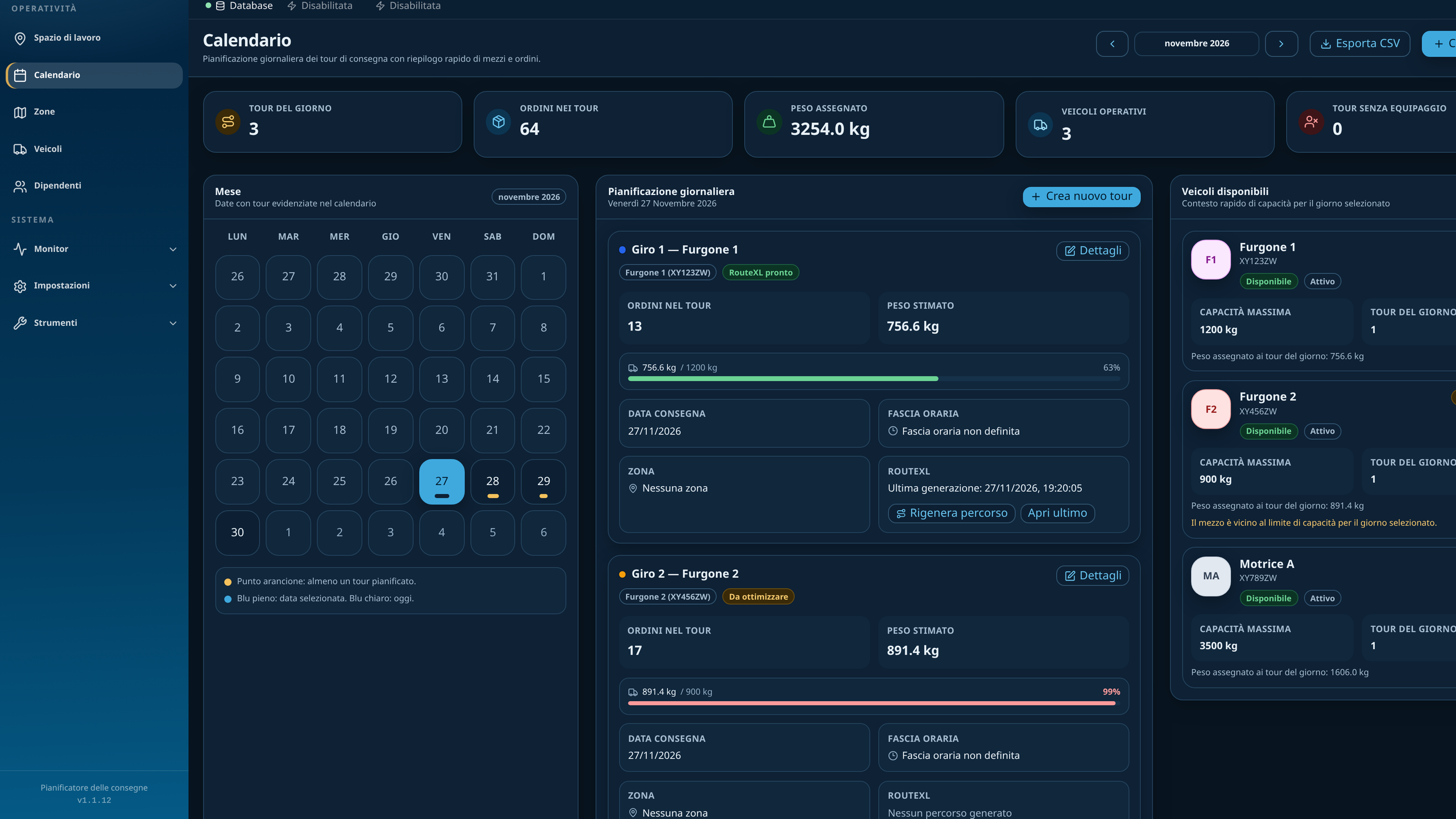
Deliver
The calendar shows rounds, weight, vehicles and crews. Absences surface early, not at seven in the morning.